
Martin Lex is the pen name of the 7S1L safety desk: SOLAS, lifesaving and firefighting gear, muster drills, emergency signals and safe work on board. Portrait is illustrative.
A seafarer phone setup should be finished before sign-on, not after the gangway is behind you.
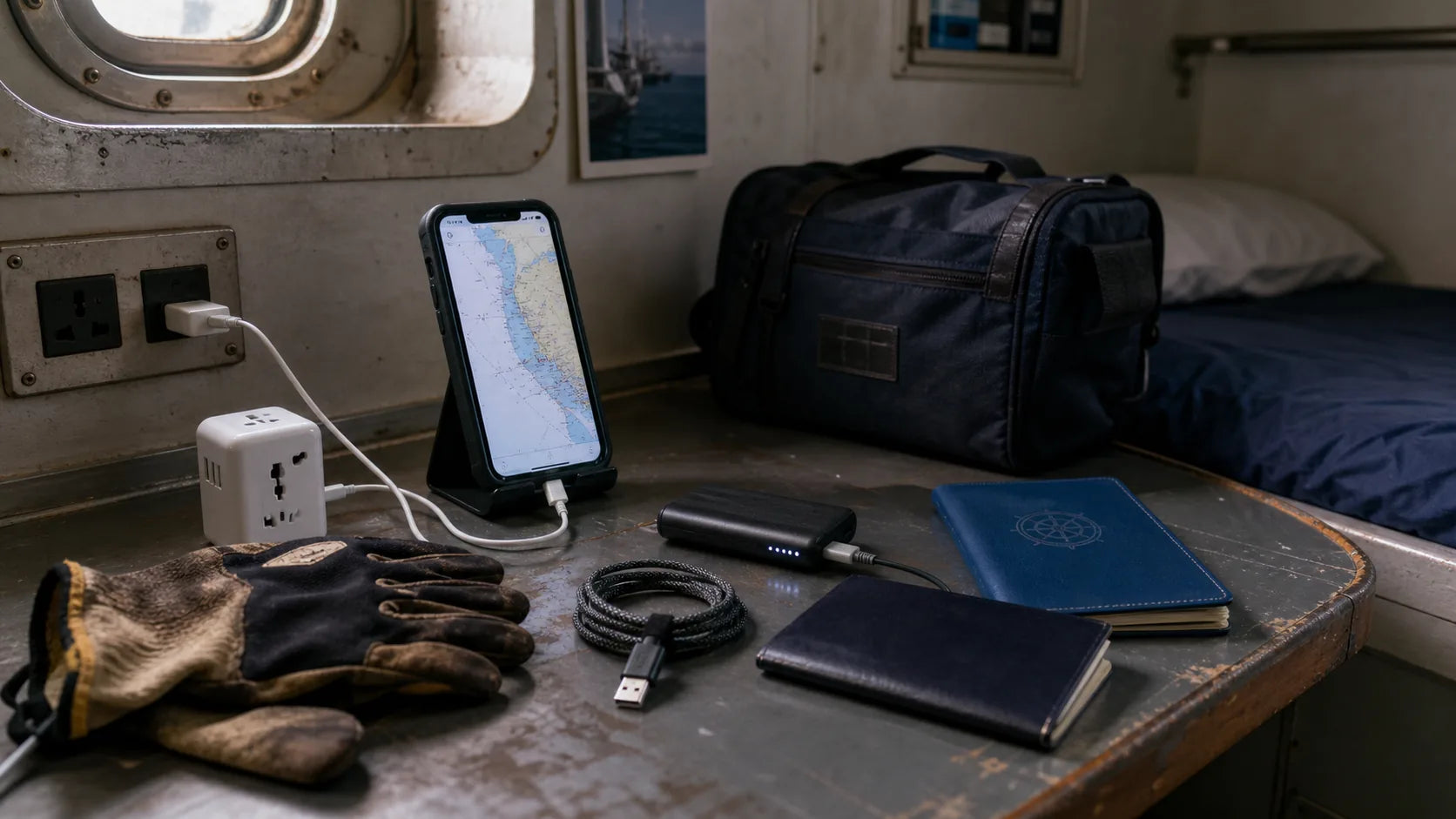
The useful setup is simple: secure document backups, offline maps, working two-factor access, family communication, welfare contacts, banking access, translation, charging gear, and a privacy routine. That sounds basic ashore. On board, with weak Wi-Fi, a shared cabin, a short port call, and watch in six hours, basic becomes important.
This is part of digital ship life. Not hype. Not a list of random apps. A phone is a small tool that can make joining, port days, family contact, and welfare support less messy. It sits inside the larger reality of life at sea, where connection is never guaranteed.
Documents: useful backup, never the only copy
Before joining a ship, a seafarer should know where the important documents are. Passport, seaman book, certificates, medical papers, joining instructions, travel details, vaccination records, company contacts, agent details, emergency contacts, and port information should not be scattered across a camera roll.
Use secure storage. Name files in a way you can find under pressure. Keep the originals safe. Keep offline copies where possible. Do not store passwords inside screenshots. Do not leave sensitive documents visible on a locked screen preview.
Run the backup in two directions. One copy offline on the phone, readable without signal. One copy in cloud storage that one trusted person ashore can reach: if the phone is lost or dead in a crew change hotel, that person can still send the certificate scan to the agent. Agree in advance what they may open.
The employment agreement belongs in the same folder. Save the signed contract as a PDF, not a photo of page one. If it is not signed yet, run it through the free MLC Contract Check first: it checks the clauses against MLC 2006 in about a minute, in the browser, no account needed. The traps it looks for are covered in our guide to employment agreement red flags.
A phone backup can help at an airport counter, port office, terminal gate, manning agency, company desk, or crew change hotel. It cannot replace the original document when the original is required.
Dual SIM and eSIM: one phone, two numbers
Experienced crew run two numbers on one phone. The home SIM stays alive because banks, payroll pages, and messaging accounts send verification codes to it. A local SIM or eSIM covers data in the port country, because roaming through four countries on one rotation gets expensive fast. Buy data for where the ship actually goes: an oiler on a tramp bulk carrier does not know the next three countries, cruise crew on a fixed itinerary do.
Two warnings. Keep the home SIM on a plan that survives months without use, because some prepaid numbers expire quietly, and the two-factor codes expire with them. And switch off data roaming on that SIM before the flight. One background update at roaming rates can cost a day of wages.
Offline maps before the port gate
Offline maps are one of the most useful tools for seafarers because port time is rarely clean. The seafarer center may be close on a map and still hard to reach after port security, bad weather, cargo operations, traffic, and a short shore leave window.
Download the joining port before travel. If the voyage plan is known, download likely first ports too. Save the terminal, port gate, seafarer center, clinic, pharmacy, bus stop, train station, money exchange, SIM shop, chapel, and hotel.
Do this before arrival. A phone searching for maps outside a terminal fence, in rain, with low battery, is not a plan.
Two-factor access and money
Two-factor authentication causes real problems at sea. A bank, email account, crew portal, travel account, insurance login, payroll page, or messaging account may depend on a home-country SIM or a device that is not with you.
Fix that before sign-on. Test banking access. Test email recovery. Check the authenticator app. Save backup codes securely. Confirm which phone number receives security messages. Make sure family ashore does not become the only way to unlock your own account.
Money access also matters in port. Some crew need cash for transport, food, a SIM card, a haircut, medicine, or a small emergency before the next watch. The phone should support that, but it should not be the only way to pay.
Family contact without panic
Families ashore often read silence differently than crew do. A seafarer knows ship Wi-Fi can be slow, filtered, expensive, or unavailable. A family member may only see a missed message and a vessel marker that has not moved.
Set expectations before joining. Tell family which apps you will use, when replies are realistic, what time zone differences mean, and who to contact if there is a real emergency. Explain that AIS tracking apps and vessel position websites can be delayed or incomplete.
A simple message before departure can prevent days of worry later: if I do not reply, it may be connection, watch schedule, port work, fatigue, or company Wi-Fi rules. It does not automatically mean danger. Our guide to mental health for seafarers covers the harder side of long silences and long contracts.
Welfare contacts belong on the phone
Welfare contacts should not be searched for only when something is already wrong. Add them before the contract starts.
The ITF Seafarers apps page provides app and ship lookup resources for seafarers who may need to contact an ITF inspector, a maritime union, or the ITF helpline. SeafarerHelp, operated by ISWAN, is an international assistance service for seafarers and their families. Details can change, so the official sites should be checked before publishing phone numbers or country-specific access routes.
Put company emergency contacts, manning agency contacts, port agent details, family emergency contacts, medical insurance contacts, union contacts if relevant, and welfare services in one place. The phone should make help easier to reach.
 Free crew appSeafarer Contract CheckCheck your contract clause by clause against MLC 2006 and flag state regulations. The check is free. On iPhone, Android or in the browser.
Privacy in a shared ship environment
Digital privacy looks different on board. Crew may share cabins, charging spaces, mess rooms, laundry areas, crew Wi-Fi rooms, and public terminals. A borrowed charger or unlocked phone can create small problems fast.
Use a screen lock. Turn off sensitive lock-screen previews. Use a password manager. Avoid saving private documents in open photo albums. Be careful with public USB ports. Label chargers and adapters. Keep backup codes somewhere safe.
This is not paranoia. It is normal discipline for a life where personal space is limited.
Power banks and the flight to the ship
The joining trip is a flight. Sometimes three. IATA guidance is clear: power banks and spare lithium batteries travel in carry-on baggage only, never in checked baggage. Up to 100 Wh they need no airline approval. Between 100 and 160 Wh the airline must approve them first. Anything above that stays home. Most phone power banks sit well under 100 Wh, but read the printed rating before packing, and check your airline, which can be stricter than the IATA baseline.
On board, cabin sockets are shared and some companies restrict unattended charging. A charged power bank carries the phone through a long watch and a port day. Crew change flights are long and cold, too. A seafarer hoodie in the carry-on solves more problems than a fifth charging cable.
Shore leave setup
Before shore leave, the phone should already have the basics: offline maps, translation, transport options, local emergency numbers, port-agent contact details, seafarer-center address, currency conversion, and a way back to the ship.
Cruise crew, container crew, tanker crew, offshore workers, and bulk carrier crew use shore leave differently, but the pressure is familiar. The window can be short. The port gate can be far. The weather can turn. The next duty starts whether the phone is prepared or not.
For the wider subject, read our guide to shore leave.
What to avoid
Do not install twenty apps because a list online said so. Do not depend on streaming. Do not trust one device with every document, every password, every contact, and every payment method. Do not keep your only bank access tied to a SIM you may not use for months.
Do not treat wellness apps as emergency support. A breathing app, sleep app, notes app, or private journal can help routine. It cannot replace medical help, welfare support, union channels, company procedures, or emergency services.
The best setup is boring and reliable. For a short, tested selection, see our guide to apps for seafarers.
The seafarer phone setup checklist
- Secure document scans, offline and in the cloud
- Employment agreement saved as PDF, checked before signing
- Offline maps for joining port and likely first ports
- Tested email, banking, and two-factor access
- Home SIM kept active, local SIM or eSIM plan for the port country
- Messaging apps used by family and company contacts
- Welfare contacts and emergency contacts
- Translation app with offline language packs where possible
- PDF reader and training material
- Notes app for port, watch, travel, and shopping details
- Power bank under 100 Wh in the carry-on, adapter, charging cable, and labels
- Privacy settings checked before travel
The phone is not the job. It supports the job. For the gear side of digital ship life, see the maritime iPhone clear case collection and the rest of the crew favorites.
Source note
Editorial guidance for crew, not legal or travel advice. Airline and company rules take precedence. References:
- ITF Seafarers: Apps and ship lookup resources
- SeafarerHelp
- U.S. Coast Guard Navigation Center: AIS overview
- IATA: Safe travel with lithium batteries
FAQ
What is a good seafarer phone setup before joining a ship?
Secure document backups including the contract as PDF, offline maps, tested two-factor access, family communication, banking access, welfare contacts, translation, and charging gear, all finished before sign-on.
Should seafarers keep documents on their phone?
A phone can hold secure backup copies, but it should not be the only place where important documents exist. Original documents must still be carried and protected when required.
Do seafarers need a dual SIM or eSIM phone?
It is common practice: the home SIM stays active for banking and verification codes while a local SIM or eSIM provides cheap data in port countries.
Can seafarers take a power bank on the flight to the ship?
Yes, in carry-on baggage only, never checked. Under IATA guidance, power banks up to 100 Wh need no approval, 100 to 160 Wh need airline approval, and larger units are not allowed.
Are welfare apps enough in an emergency?
No. Welfare apps and helplines can help with access to support, but serious danger, illness, threats, abandonment, or emergency situations need official procedures, medical help, welfare organizations, union channels, or emergency services.
YES, WE ARE CREW.
Gear for the watchShip Type T-Shirts · Ship DepartmentBuild your Sign On Set · Build your Sailor Set