
Martin Lex is the pen name of the 7S1L safety desk: SOLAS, lifesaving and firefighting gear, muster drills, emergency signals and safe work on board. Portrait is illustrative.
Cruise line apps can make the guest experience feel smooth. They cannot remove the work behind the screen.
When a guest taps dining, room service, excursions, account, schedule, or help, that action connects to crew somewhere on the ship: guest services, galley, housekeeping, restaurant, bar, shore excursions, security, technical support, or hotel operations.
The app is the surface. Crew are the system that keeps it human.
The app makes work visible and invisible
Apps can reduce repeated questions. That helps crew. A guest who checks the deck plan, dining time, or excursion meeting point before asking can save time for everyone.
But apps can also create new pressure. A guest may expect instant updates, instant answers, instant fixes, and perfect synchronization between phone, desk, restaurant, cabin, and account. When that does not happen, the complaint often lands on the person in uniform.
Digital convenience can hide human load.
What happens after you tap: where cruise line apps end and crew work begins
Every function in a cruise line app has a human counterpart on board. The order confirmation is software. The delivery is a person.
Take room service through the app. The message does not go to a robot. It lands on a screen or a printer in a galley where a cook is already working a dining wave. Someone plates the order. A steward carries the tray through service corridors and crew stairwells, because crew with trays do not ride guest elevators on most ships. If the app shows a progress bar under "track my order," that bar is a person climbing decks with your food.
Or take dining reservations. When guests move their dinner slot in the app, the change does not stay digital. It shifts seating plans in the restaurant, cooking waves in the galley, and section loads for waiters who are counted, assigned, and timed. A hundred small reservation changes on a sea day become a real problem for a maitre d' before the first cover is seated.
Shore excursions work the same way. A tour booked at midnight changes a manifest that the excursion team reconciles before the port call. On tender ports, it feeds into boat loads and gangway timing that deck crew run in lifejackets while guests are still scrolling. One tap for you. A revised plan for them.
Real ship work is not app-speed
A cruise ship is a moving workplace. Crew are dealing with watches, turnarounds, safety drills, cabin service, dining waves, gangway movement, port operations, inspections, waste, stores, laundry, guest questions, and technical systems.
An app may show a clean button. The real ship may have a queue, a supply limit, a safety restriction, a port rule, or a department already under pressure.
Good guests understand the difference between a digital request and physical work.
What the app does not show you
The guest side of a cruise line app is clean by design. The crew side is not in the app store.
Behind the interface sit task queues, department tablets, radios, housekeeping boards, and galley printers. Your request does not vanish into software. It becomes a line on someone's list, between the lines that were already there. Housekeeping teams work cabin sections against a clock, and a special request lands inside that clock, not beside it.
The person at the guest services desk often has less system access than guests assume. Account corrections, refunds, and folio disputes can need approval from a supervisor or the hotel director's office. The crew member saying "I have to check this" is telling the truth.
And the crew member who helps with your onboard Wi-Fi may be rationing their own. On many ships, crew buy their own internet packages to call home, on connections slower than the guest network. Welfare organizations like the Mission to Seafarers track crew connectivity as a recurring concern in their Seafarers Happiness Index reports. The gap between the guest app experience and crew connectivity is real.
When the app goes down
Systems fail at sea. Satellite links drop, onboard servers hiccup, an update breaks a feature on embarkation day.
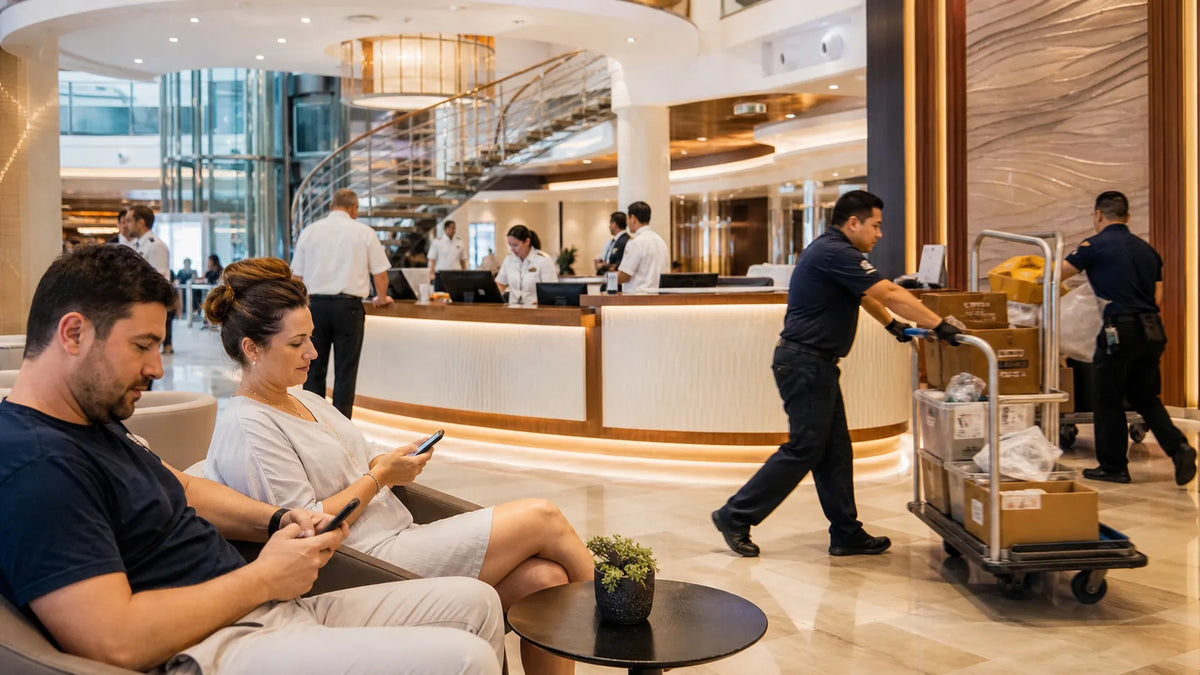
Watch what happens next. Within minutes, a queue forms at guest services in the atrium. The same handful of crew who were answering chat messages are now facing a line of guests holding phones. Nobody at that desk wrote the software. Nobody at that desk can restart a satellite link.
An app outage is a stress multiplier for hotel crew: the workload the app was quietly absorbing comes back all at once, in person, with frustration attached.
If that happens on your cruise, be the guest who waits. Put the feedback in the post-cruise survey, where the company actually reads it. The crew member at the desk did not break the app, and raising your voice at a uniform fixes nothing.
Where guests should be patient
Be patient with boarding app issues, dining reservations, account questions, excursion updates, messaging problems, cabin requests, and schedule changes. Ask clearly. Give cabin number or booking details when appropriate. Do not raise your voice at the person standing in front of you.
Cruise crew often carry the emotional weight of systems they did not design. Respect means not turning every digital inconvenience into a personal confrontation.
Where cruise line apps really help crew
Apps help when guests use them for basic information, follow current instructions, arrive prepared, and reduce unnecessary lines. They help when guests check muster information, boarding time, account details, and event schedules without asking crew to repeat the same answer hundreds of times.
That is the right use of cruise technology: less friction for guests, less avoidable pressure for crew.
If you want the guest-side list, we keep a separate guide to the best cruise apps for guests who respect the crew: what to install before boarding and how to use it without adding load.
Respect is the feature no app can ship
Crew notice guests who get it. The guest who learns the steward's name. The guest who checks the app first, and thanks the human when the app cannot help.
Some of that respect shows up in small choices before you even board. Reading about how to support the crew behind your cruise. Packing cruise essentials that show respect to the crew instead of assumptions. Understanding that cruise ship life runs on a different clock than cargo ship life, but both run on contracts, watch schedules, and months away from home.
7SHORT1LONG® is a Seafarer Identity Brand, built for crew first. Guests who respect that world are welcome in it. A mermaid cruise ship hoodie or a cruise ship tender hoodie will not change how a ship works. But wearing crew-made designs instead of gift-shop prints is a quiet signal that you see the people running it. If you want to know what that looks like, start with the crew favorites.
One more layer guests never see: the contract. The steward who carried your tray signed a seafarer employment agreement measured in months, covered by the Maritime Labour Convention, 2006. 7S1L built the free MLC Contract Check so crew can check a contract clause by clause before sign-on, in about a minute, with no account. That tool exists for the people behind your app requests.
Source note
App features and names change. The cruise line pages below are the official references for the apps mentioned in this article. Crew connectivity is a documented welfare topic tracked by the Mission to Seafarers. This article is editorial context on shipboard work, not legal advice.
- Royal Caribbean: app information
- Carnival: HUB app
- Princess Cruises: MedallionClass and app-connected services
- The Mission to Seafarers: crew welfare and the Seafarers Happiness Index
FAQ
Do cruise line apps reduce crew workload?
They reduce repeated basic questions, but they also create new guest expectations and service pressure. The physical work behind each request stays the same.
What happens behind the app when I order room service?
The order lands in a galley, a cook plates it, and a steward carries the tray through crew stairwells and service corridors to your cabin. The app tracks the order. A person delivers it.
Why do app problems affect crew?
Guests often bring app frustration to frontline crew even when the issue comes from systems, connectivity, policy, or account data.
Should guests still ask crew for help?
Yes, but they should check simple app information first and ask calmly when help is needed.
Are cruise line apps always accurate?
Guests should follow the current official app and ship announcements. Schedules and details can change on board.
What is the respectful way to use a cruise line app?
Prepare before boarding, check basic information yourself, follow ship instructions, and treat crew with patience when something does not work.
YES, WE ARE CREW.
Gear for the watchShip Type T-Shirts · Ship DepartmentBuild your Sign On Set · Build your Sailor Set